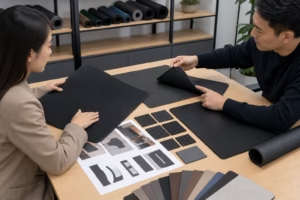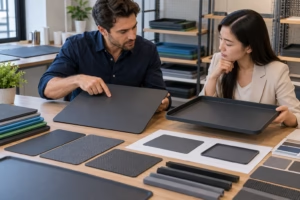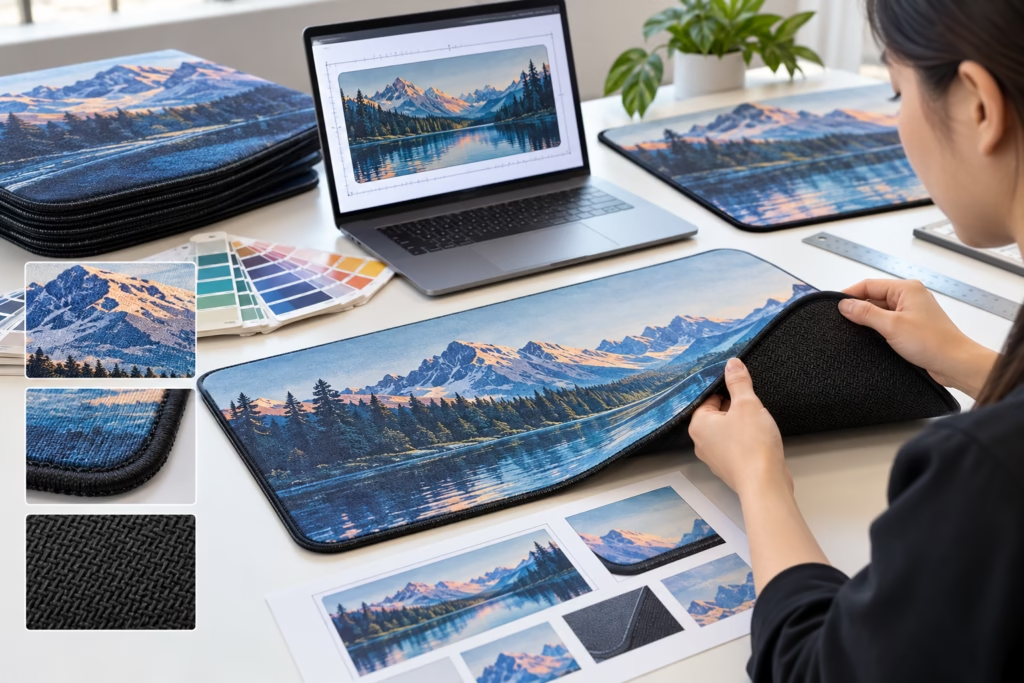
For custom mat artwork, send more than a logo image. A production-ready review package connects the editable artwork with the intended application, finished mat dimensions, printable surface, construction, color references and cut requirements. Ninghow Mats evaluates artwork in relation to the finished product and sample standards, so buyers can also review the principles described in Mat Quality Control and Color Consistency.
At minimum, provide the highest-quality original artwork, a viewable reference, finished dimensions with units, placement and orientation instructions, color references, and a drawing that separates the print area from the finished outline. Treat unresolved details as open decisions rather than allowing a preview image to define them accidentally. Current accepted formats, templates, delivery methods and project-specific requirements need to be confirmed with Ninghow Mats before submission.
What Should You Send for a Custom Mat Artwork Review?
A print-ready artwork package is an identifiable set of source files, references and production instructions, not simply an AI, EPS, PDF, PNG or JPG extension. Begin with the application: identify where the mat will be placed, the viewing distance, the surface beneath it and the finished dimensions. A small counter mat viewed close up has different readability requirements from a large promotional mat seen across a room.
Submit the original editable artwork where available, along with a viewable proof or reference image. Include linked or embedded images, logo variations, font information or outlined text as applicable, and a current revision identifier. State whether the design is a logo placement, border, repeat pattern or full-surface composition. Also identify the background treatment: transparent artwork, an intentional printed background or artwork that fills the entire visible surface.
For a shaped mat, keep the print artwork separate from the finished outline, cut path, internal cutouts and edge callouts. Include the proposed material, layer construction, printable surface, backing, thickness and edge treatment when known. These details can affect appearance, printable area and the amount of content that can safely approach an edge.
| Package item | What it establishes | Status to record |
|---|---|---|
| Editable source artwork | Logo paths, text, layers and placed assets | Required, supplied or unavailable |
| Viewable proof | Intended appearance, placement and orientation | Matches source revision |
| Specification drawing | Finished size, print area, cut line and safe area | Dimensioned and identified |
| Color reference | Approved brand color or comparison basis | Digital, physical or open decision |
| Application notes | Viewing context, placement surface and use conditions | Complete or awaiting input |
Before sending the package, use a simple file-naming structure such as Brand_MatSize_Artwork_REV03, with matching names for the source file, proof and drawing. This makes it easier to identify an obsolete logo or proof. A short package checklist should cover source artwork, proof reference, specification drawing, color reference, application notes and packaging artwork when packaging is part of the approval.
Which File Format and Resolution Is Suitable for Custom Mat Artwork?
Vector artwork is built from paths and is generally well suited to logos, solid shapes, text and geometric designs because paths can be resized without the same pixel-grid limitation as raster artwork. Raster artwork is made from pixels. Its suitability depends on the pixel dimensions at the finished artwork size, the detail in the image, the intended viewing distance and the selected surface and printing process.
A file extension does not prove that a file contains editable vector artwork. An AI, EPS, SVG or PDF may include raster images, missing links, outlined content or flattened transparency. Ask the manufacturer to confirm current file requirements, and provide linked assets or embedded images and font information as requested. A screen preview that looks sharp at a small display size is not proof that the artwork will remain sharp when enlarged to the finished mat dimensions.
| Artwork type | Typical use | Review risks | Buyer action | Manufacturer confirmation |
|---|---|---|---|---|
| Editable vector artwork | Logos, text, solid shapes | Missing fonts, hidden objects, unavailable links | Send the native source and asset details | Confirm editable-layer requirements |
| Vector PDF | Controlled proof or handoff | Flattened or partly rasterized content | Inspect paths, images and revision | Confirm whether this PDF workflow is accepted |
| Raster artwork | Photography, textures and detailed imagery | Pixelation, soft edges and unintended scaling | Record pixel dimensions and finished size | Assess effective resolution at final size |
| Preview-only file | Visual reference | Cannot reliably support production preparation | Send it with the source package, not alone | Identify missing production inputs |
For a practical resolution review, record the raster image’s pixel dimensions, intended finished artwork dimensions, scale factor and viewing distance. Inspect the design at 100% output scale and look for pixelation, soft edges, accidental image enlargement and loss of fine detail. Resolution guidance remains directional until the finished size, surface, construction and printing process are known; there is no universal PPI threshold that proves acceptance for every custom mat.
How Should Transparent Backgrounds and Brand Colors Be Specified?
First distinguish genuine transparency from a white rectangle placed behind a logo. Open the source file and inspect the background objects rather than relying on the checkerboard pattern shown by some design applications. State whether the mat surface should remain visible, whether a background color is intentionally printed, or whether the background forms part of a full-surface design.
Provide approved logo versions, orientation notes and any exclusion-space or minimum-size guidance from the brand team. Color instructions should include documented references such as brand guidelines, approved color values, swatches or an agreed physical reference. Record whether the comparison is visual or instrument-based, which proof or sample is being reviewed, and under what lighting or surface condition.
Digital layout approval and physical color approval are separate decisions. Screen appearance can change with the display, color space and viewing conditions, while the mat surface, layer construction, backing and printing method can change perceived color. Ninghow Mats can assess brand accuracy against the color references and review method agreed for the project; color values alone do not guarantee the same visual result across different finished constructions.
- Artwork state: transparent, intentional background fill or unresolved.
- Buyer instruction: surface-visible background, printed color or full-surface design.
- Reference: brand guide, digital value, swatch or physical sample.
- Approval record: layout approval, color approval and material or functional approval recorded separately.
How Do Mat Size, Thickness and Construction Change Bleed and Safe Areas?
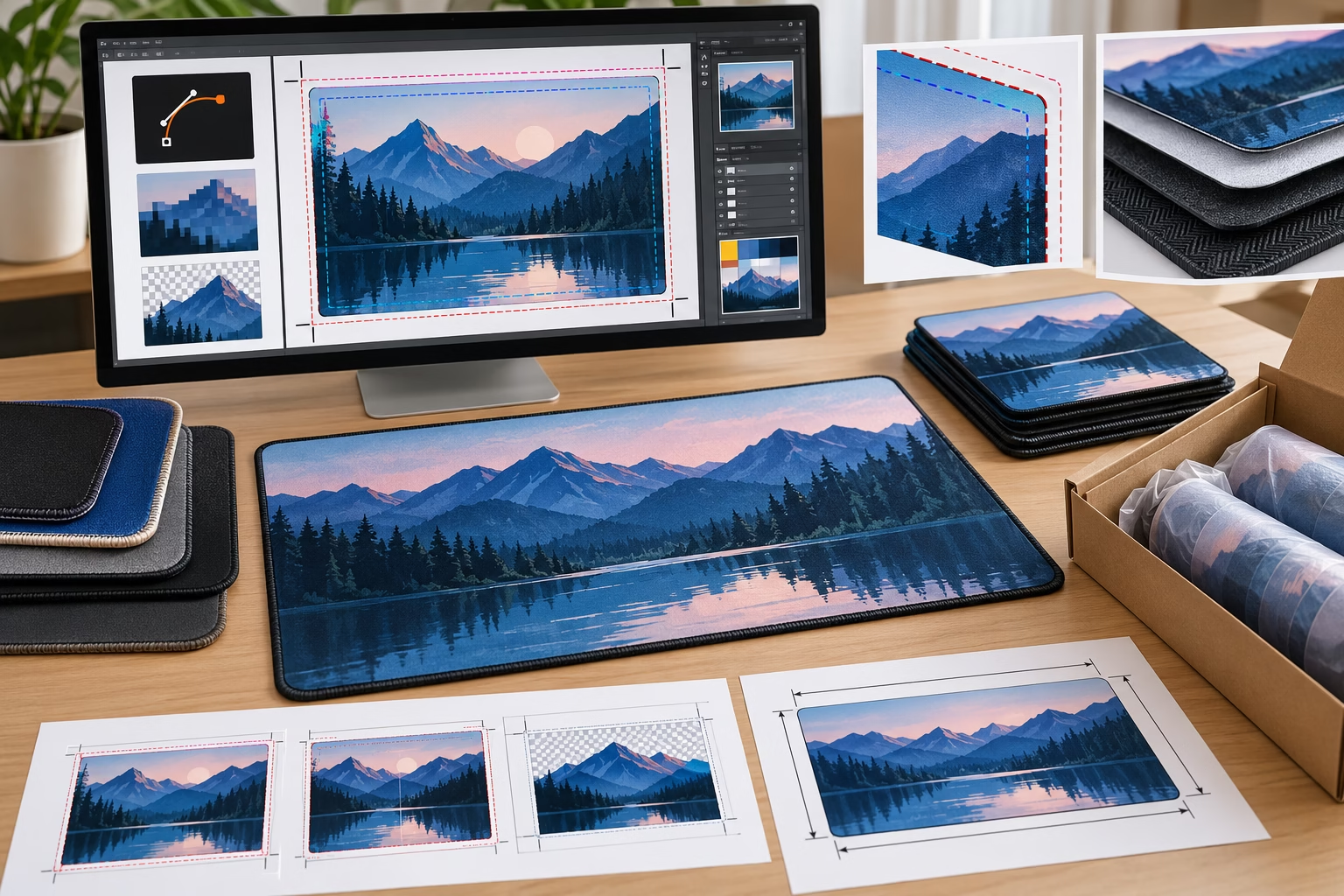
Bleed is artwork extending beyond the intended visible boundary so trimming, forming or edge variation does not expose an unintended unprinted edge. The safe area is the zone where important text, logos and fine details remain away from the trim or edge-risk area. Both are production instructions tied to the final mat, not universal numbers copied from a generic design template.
Bleed and safe-area guidance can change with finished dimensions, corner geometry, internal cutouts, printable area, material, layer construction, surface, backing, thickness and edge treatment. Thickness and layered construction may influence the visible edge, alignment between layers and whether artwork needs to continue across the full surface. A rectangular mat and a shaped mat therefore require different drawing information even when they use the same logo.
Identify the finished outline, print boundary, cut line, safe area and non-print area on the technical drawing. Add the drawing units, orientation, corner details, cutouts, print coverage and the intended relationship between artwork and edge. Request the manufacturer-approved template or margin guidance from Ninghow Mats before final artwork release, including confirmation of whether printing, cutting, forming or edge finishing changes the guidance.
To verify the file, overlay the artwork against the approved dieline, inspect every critical element near the edge and review the layout at the intended finished size. Keep the final dimensions and physical construction aligned across the source artwork, proof and drawing. There is no universal bleed value for every custom mat shape, material, thickness or edge treatment.
How Should Printing, Placement, Cutting and Edges Be Shown in the Artwork?
Artwork should show what is printed and how that printed design relates to the finished physical mat. Identify whether the design is a logo placement, partial print, border, full-surface composition, repeat pattern or edge-to-edge layout. Add a clear orientation, a reference point or datum point, finished dimensions and measurement units so placement is not inferred from an unscaled mockup.
Keep the print artwork separate from the cut path. A shaped mat may include an outer cut line, internal cutouts, holes, corner features and non-print areas. These elements should be identified on separate, clearly named layers or drawing pages according to the manufacturer’s current custom mat cut file requirements. Also state whether the underside, backing or exposed edge has a visual requirement. Artwork on the top surface does not automatically describe the complete product.
| Artwork decision | What to show | What Ninghow Mats should confirm |
|---|---|---|
| Logo placement | Logo position, orientation, scale and reference point | Placement convention and compatible printable surface |
| Full coverage or border | Print boundary, edge relationship and safe content area | Print coverage and edge-treatment limitations |
| Repeat pattern | Repeat direction, tile size and alignment marks | Pattern continuity and finished-size review method |
| Shaped mat | Finished outline, cut path, internal cutouts and non-print zones | Cut-path convention and construction-specific guidance |
Review contrast, line weight, small text, gradients, photographic detail and pattern alignment at the finished size. Cutting and edge treatment can influence border consistency, fine text near the perimeter and the visible relationship between the printable surface and backing. The compatible printing approach, edge treatment, cut-path convention and production tolerance require confirmation for the selected construction; a generic file template cannot establish them.
Print-and-cut handoff checklist:
- Print artwork layer and file revision identifier
- Finished outline, cut path and internal cutouts
- Orientation, datum point and drawing units
- Print coverage, non-print areas and edge notes
- Finished dimensions, corner details and thickness if known
- Safe-area and bleed instructions from the approved manufacturer template
- Open questions about surface, backing, printing or edge treatment
How Do You Evaluate a Custom Mat Artwork Sample Before Approval?
A custom printed mat proof or physical sample should be reviewed against the approved specification, not judged as an isolated image. Start with the correct artwork revision and compare the sample with the intended application, finished dimensions, material, layer construction, printable surface, backing, thickness and edge treatment. This establishes the reference condition for a meaningful approval decision.
Check artwork scale, orientation, placement, background treatment, color appearance, fine detail, borders and edge coverage. Then review the finished outline, corners, cutouts, thickness and edge treatment against the drawing. Visual inspection is useful, but it does not replace dimensional checks or any functional evaluation relevant to the intended application. Consider the sample on the actual placement surface, under representative lighting and from the expected viewing distance.
| Requirement | Inspection method | Evidence record | Status |
|---|---|---|---|
| Artwork revision and placement | Compare source file, proof and sample | Revision number and annotated photograph | Approved / Revise |
| Dimensions and shape | Measure finished outline, corners and cutouts | Measurement record | Approved / Revise |
| Color and background | Compare with the agreed reference condition | Color reference and sample image | Approved / Awaiting review |
| Surface, backing and edges | Inspect appearance and application behavior | Observation notes and photographs | Approved / Test needed |
Record each item as approved, revise or awaiting testing, with an owner for unresolved decisions. Retain the approved artwork, sample photographs, measurement records, color references, revision history and documented approval status. A visual sample supports appearance and placement approval, but it cannot by itself establish untested durability, service life, compliance or full-batch consistency. For broader quality evidence, buyers can review Ninghow Mats’ Mat Quality Control and Color Consistency information alongside project-specific records.
What Belongs in the Final Custom Mat Artwork Specification Brief?
A controlled specification brief connects the artwork package with the physical product and approval records. It gives Ninghow Mats enough context to assess a custom request while separating buyer requirements from manufacturer-confirmed availability. Every file, drawing, sample and packaging record should identify the same product revision, finished dimensions and intended construction.
Use the following copyable handoff structure:
- Application: intended use, placement surface, viewing distance, contact environment, cleaning context and relevant operating conditions.
- Construction: candidate or selected material, grade if known, layer construction, printable surface, backing, thickness, shape, corners, cutouts and edge treatment.
- Artwork: editable source file, viewable reference, linked images, text treatment, color references, orientation, print coverage, cut path, bleed, safe area and revision identifier.
- Approval: sample scope, layout and color approval method, dimensional checks, functional checks, retained reference requirements and open tests.
- Quality records: approved drawing, final artwork package, sample photographs, measurement records, inspection checklist, deviation log and buyer sign-off.
- Packaging: individual or bulk packing concept, labels, inserts, barcode or regulatory artwork where applicable, carton marks, destination requirements and packaging sample status.
- Commercial handoff: quantity tiers, target market, requested sample scope, target date and quotation assumptions.
Before final release, request the current accepted file rules, approved artwork template, sample record, quality checklist and packaging confirmation. Ninghow Mats must confirm available materials, grades, construction, dimensions, thickness, edges, printing, sampling, MOQ, pricing and lead time for the specific project. A complete brief improves review quality, but it does not replace manufacturer confirmation, project testing or agreed acceptance criteria. Buyers may also consult the MOQ, Samples and Production Lead Times resource when preparing the commercial portion of the enquiry.
For a qualified review, submit the controlled artwork package together with the finished dimensions, proposed construction, color references and intended application. Clearly mark undecided fields as open decisions so the manufacturer can resolve them before sampling or quotation.
For the related sample and development process, see Custom Mahjong Mats.
Frequently Asked Questions
Can I send a PNG or JPG for a custom logo mat?
Yes, a PNG or JPG may be useful as a reference or may be suitable for production in some cases. Its suitability depends on pixel dimensions, finished artwork size, detail, viewing distance, surface and printing process. Send the highest-quality original file and ask Ninghow Mats to assess it at the finished size.
Do I need vector artwork for every custom mat?
No. Vector artwork is generally useful for logos, text, solid shapes and clean geometric designs, but raster artwork may be appropriate for photographs or detailed images. The file extension alone does not prove that a file contains usable vector paths. Provide the editable source and linked assets where available.
What is the recommended print resolution for custom mats?
There is no reliable universal resolution threshold without the finished dimensions, artwork detail, viewing distance, surface and printing process. Evaluate raster artwork at its intended output size, record its pixel dimensions and scaling, and obtain the manufacturer’s acceptance decision before final release.
How do I know whether a PDF, AI, EPS or SVG file contains usable vector artwork?
Open the file in suitable graphics software and inspect whether logos, text and shapes remain selectable, editable and scalable without pixelation. Check linked images, fonts and transparency. A PDF or other extension can contain raster content, flattened artwork or missing assets, so production review remains necessary.
Should a custom mat logo have a transparent background?
Only when the mat surface is intended to show around the logo. Confirm whether the background should remain transparent, become a printed color or form part of a full-surface design. Inspect the source file for an unintended white rectangle and state the required background treatment in the specification brief.
How much bleed does custom mat artwork need?
Bleed is project-specific. It depends on the finished outline, cut method, corners, internal cutouts, printable area, material, layers, thickness and edge treatment. Request the manufacturer-approved template or margin guidance, then overlay the artwork against the final dieline before approval.